Guide › Teacher › Mark attendance
Mark attendance
The one you'll do every day. About ten seconds.
Watch it instead · 27s
- 1
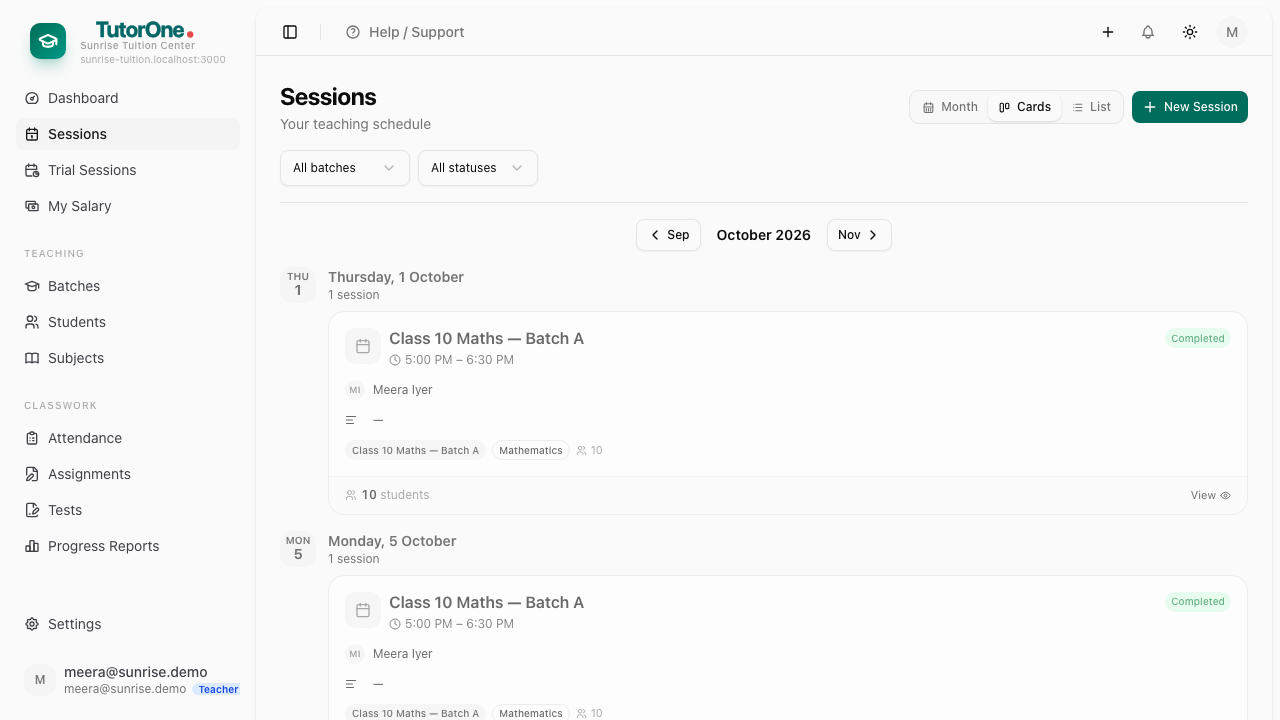
Open Sessions, press Cards, then View on the class you just taught.
- 2
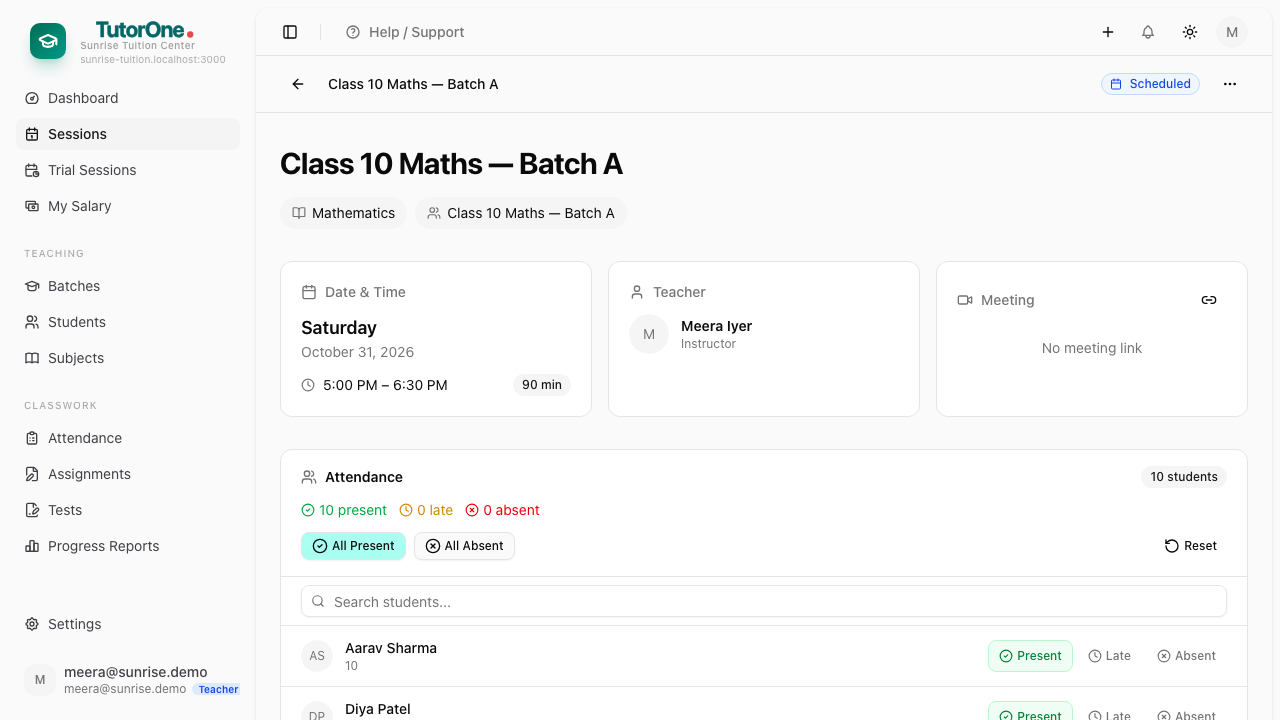
Press All present. Everyone is marked.
- 3
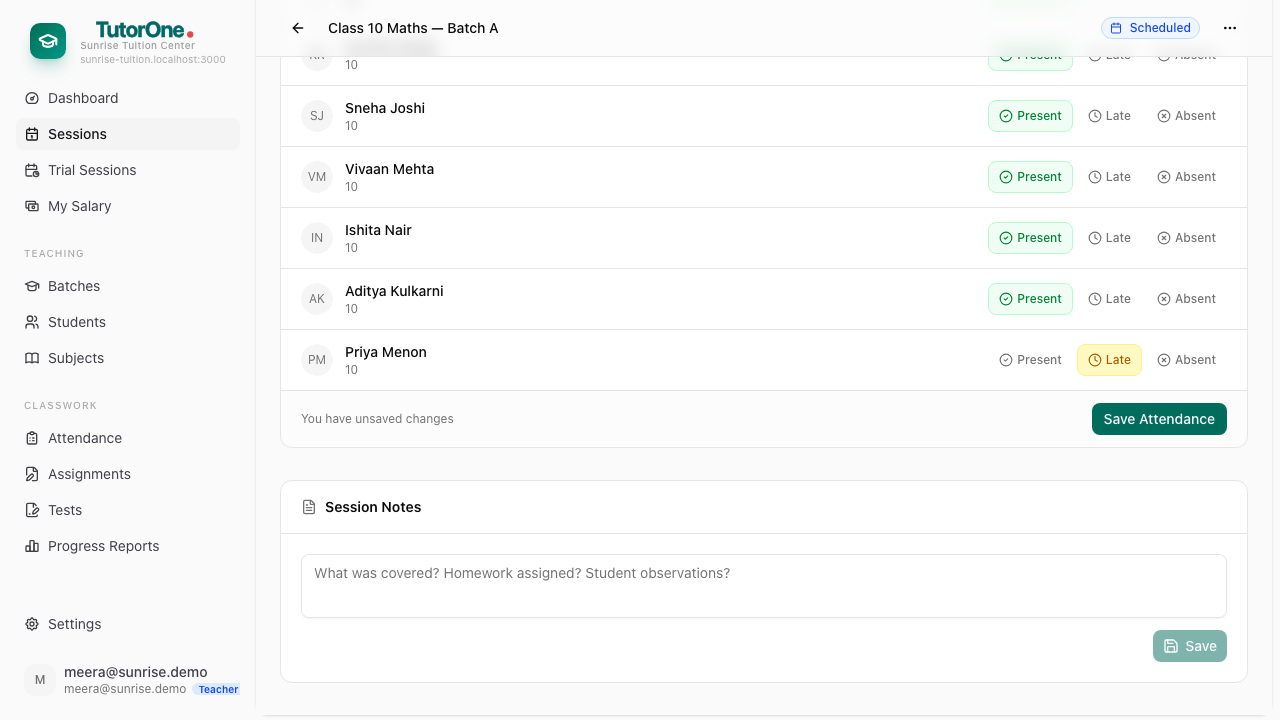
Fix the exceptions — press Absent, or Late if they came in halfway.
- 4
Press Save attendance. Parents of absent students see it the same day.
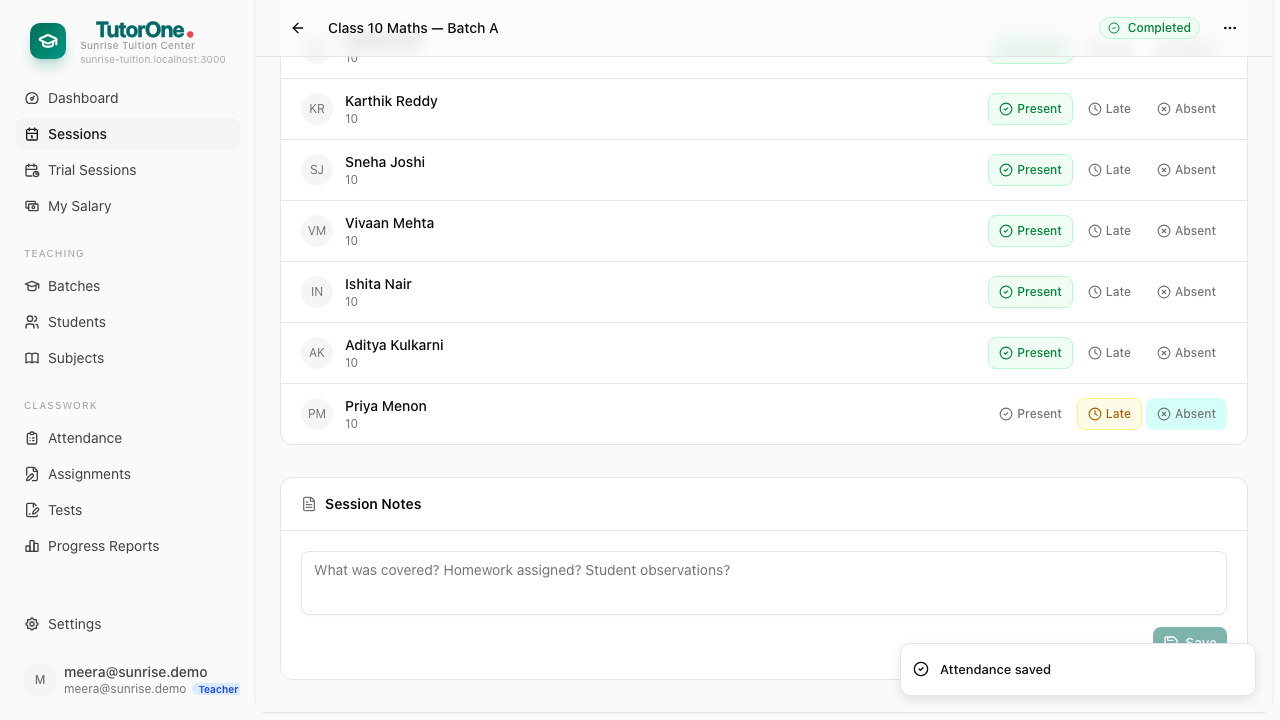
Got one wrong? Open the session again and change it. You can mark a class from a day or two ago the same way — but mark it while the class is still in front of you.