Guide › Teacher › Assignments
Assignments
Set work, collect it, grade it.
Watch it instead · 48s
- 1
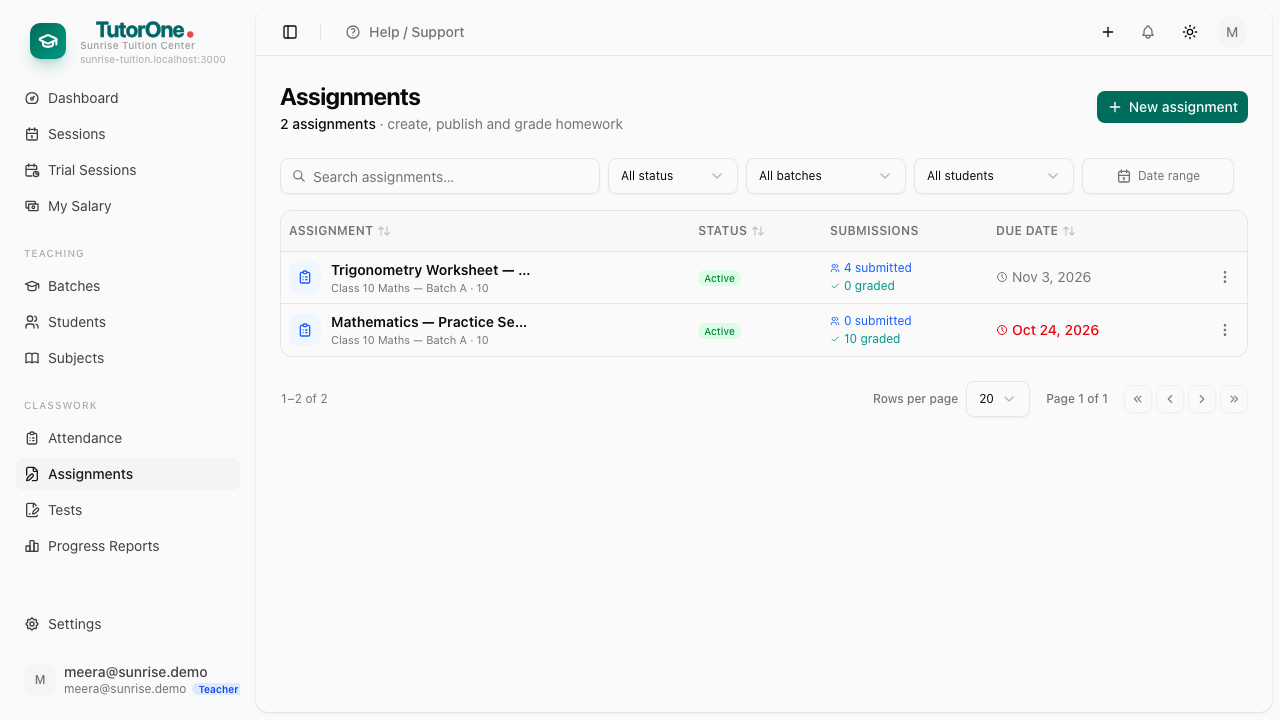
Open Assignments and press New assignment.
- 2
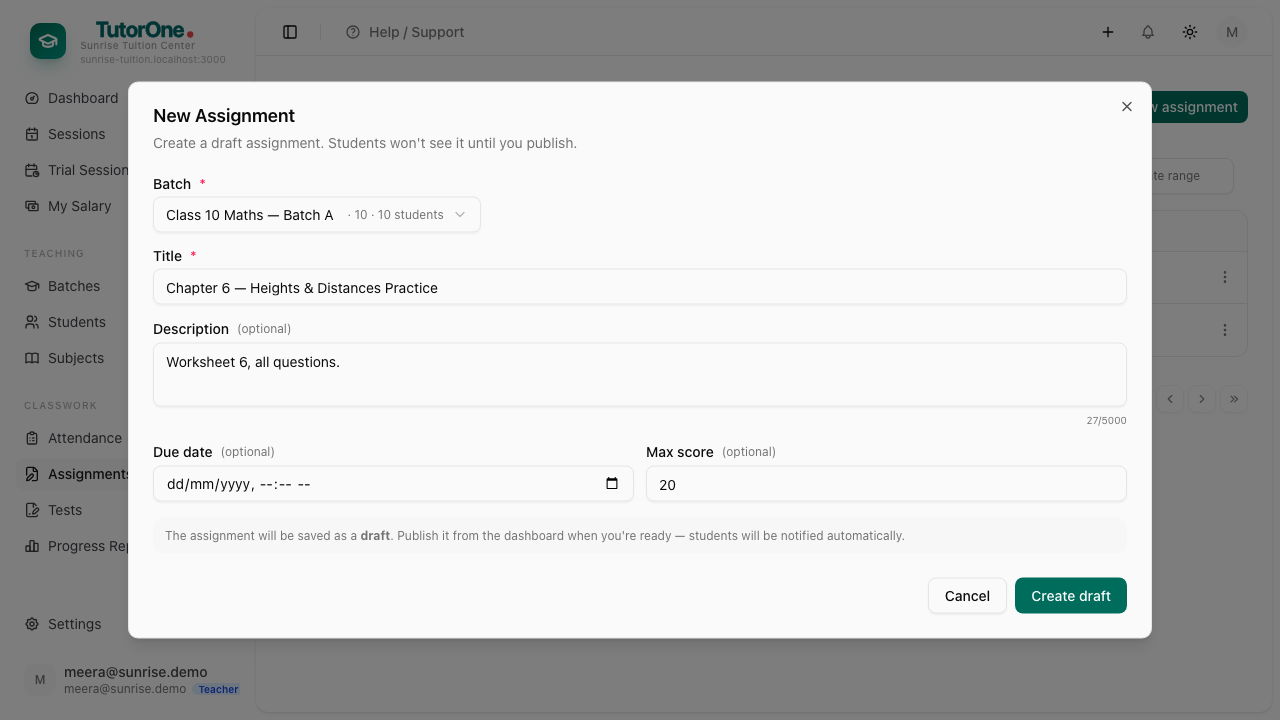
Choose the batch, give it a title the student will recognise, and add the instructions, the marks it's out of and a due date.
- 3
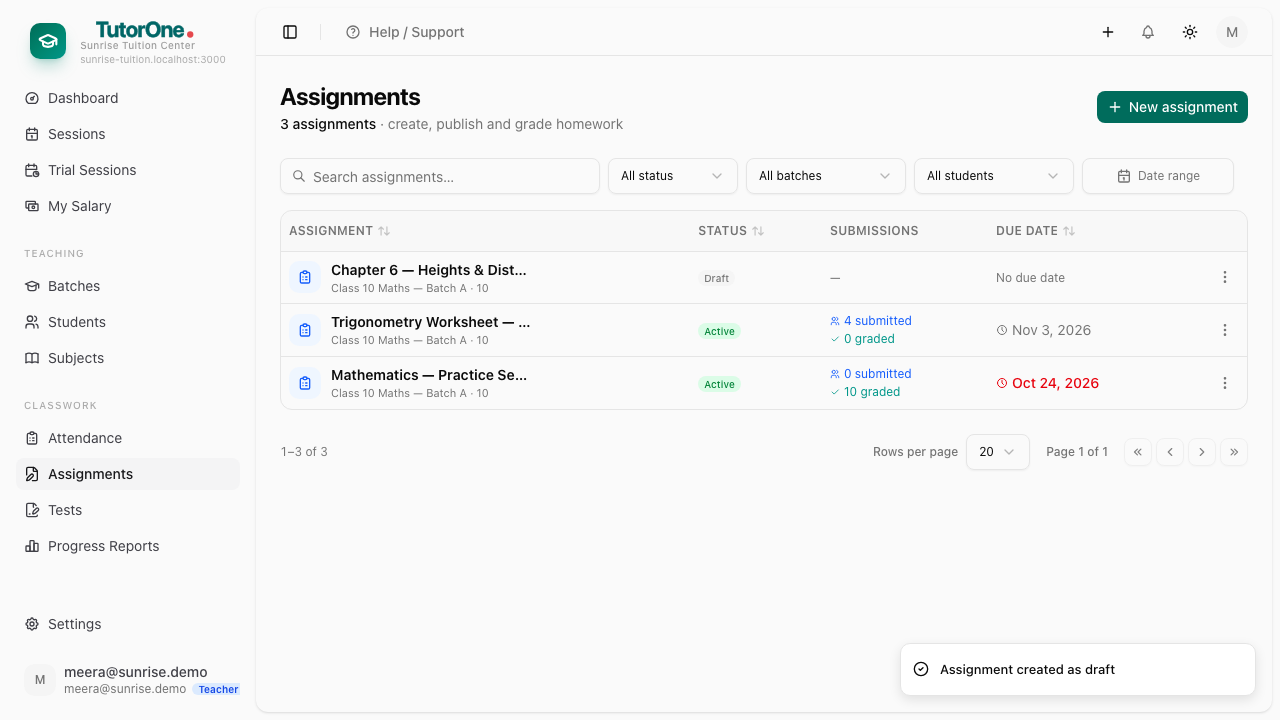
Press Create draft. A draft is yours alone — students can't see it yet.
- 4
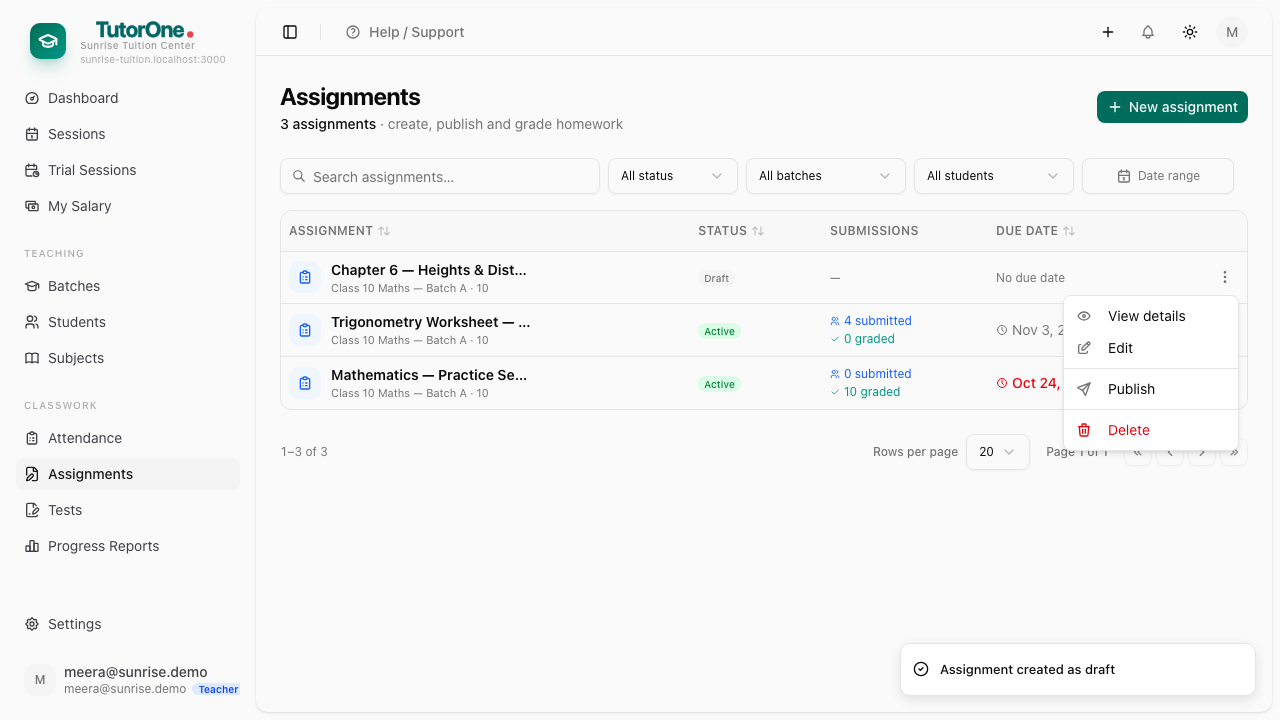
Press Publish from the row's menu, and the batch has it.
- 5
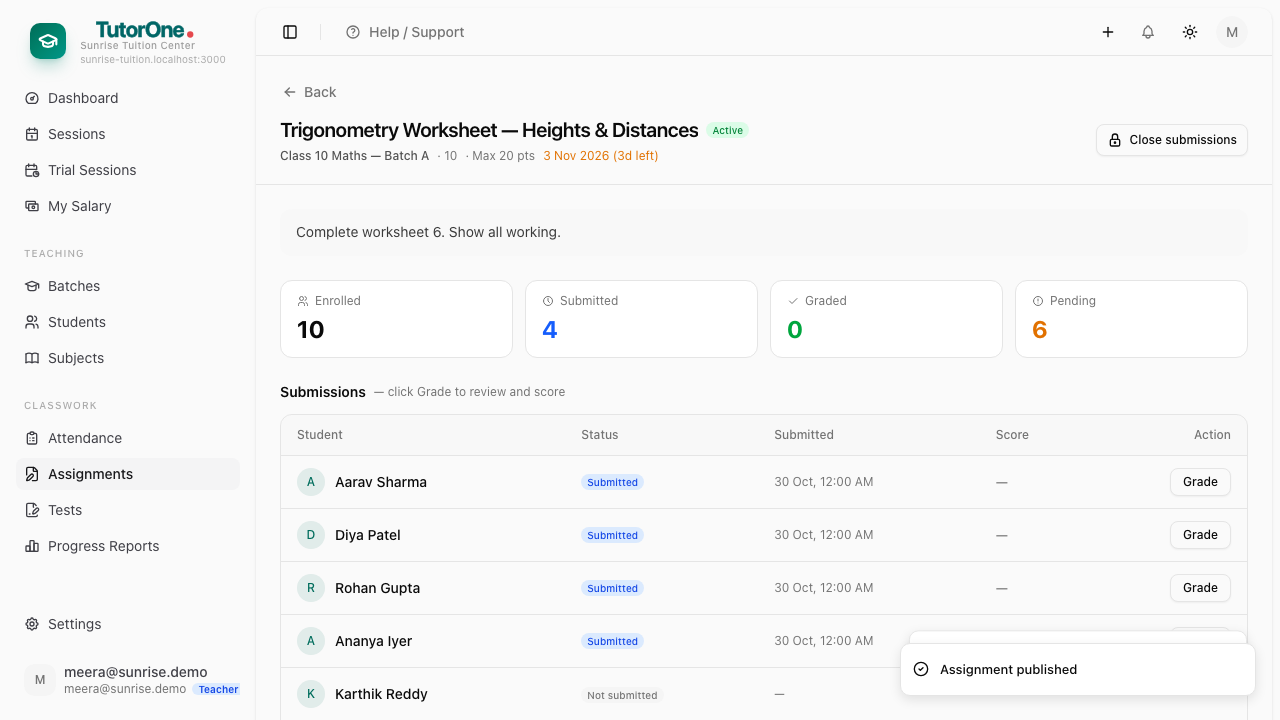
As work comes in, open the assignment and press Grade on a student's row.
- 6
Enter the marks and write a comment — what to do differently next time. The student and the parent both read it.
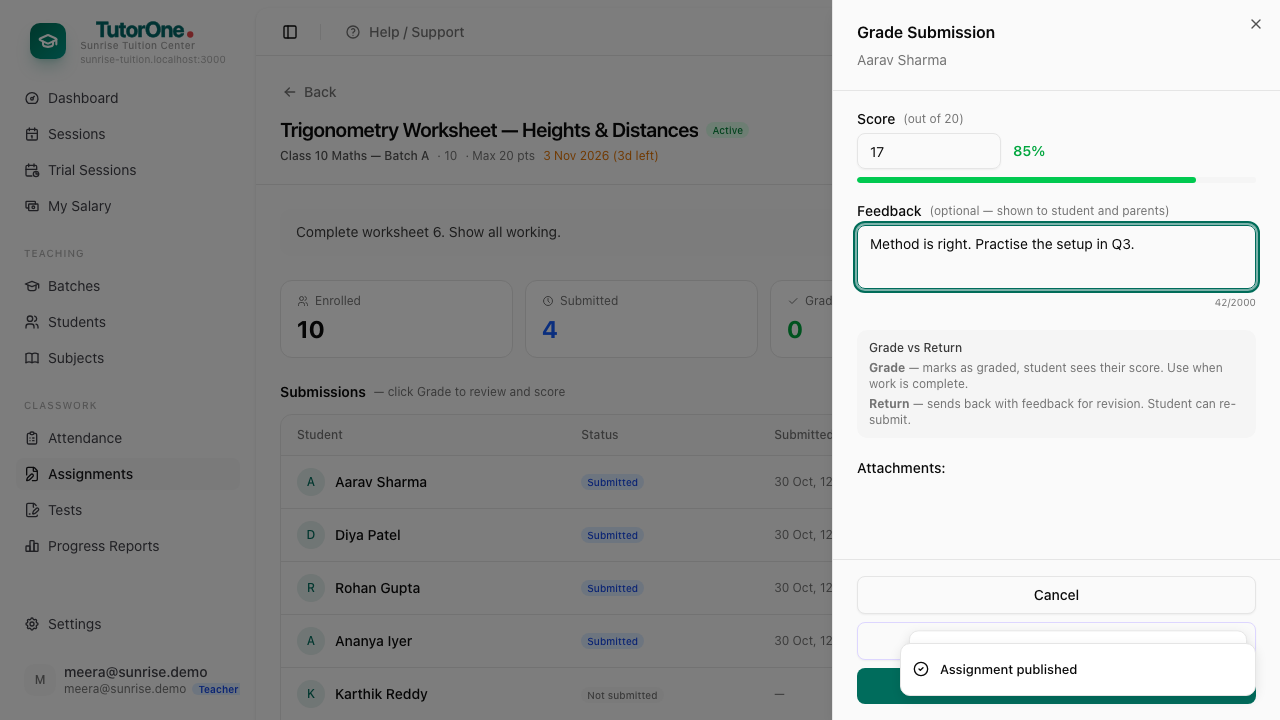
Use real marks out of a real total. These are what the progress report averages; ten out of ten for everyone tells a parent nothing.